The app/Pro/Zoning changes and watched areas
Know when the land changes.
Each week we compare every lot and zone we hold to find the rezonings and the new lots, and every night we check the areas you watch.
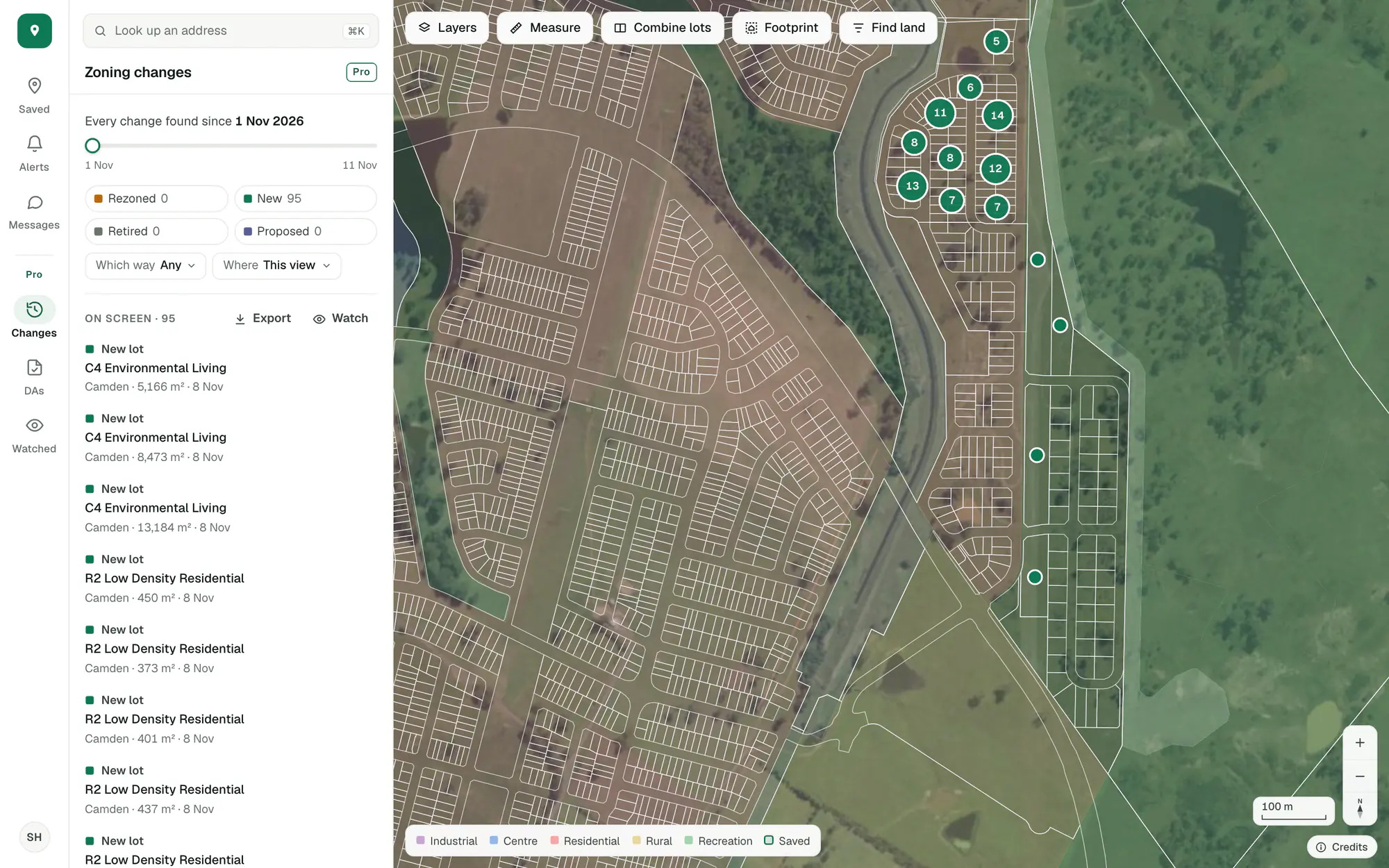
A real week: 95 new lots registered in Camden, found in the 8 November 2026 build. Imagery © State of NSW (Spatial Services, DCS), CC BY 4.0.
Every lot and zone in seven states compared with the week before: what was rezoned, what is new, what was retired.
Mark out where you work and hear when a new application or a rezoning turns up there.
Renamed zones, redrawn boundaries and changes between public-land zones are set aside, so what shows is land whose potential moved.
Where land is changing first.
Each week’s rezonings and new lots are on the map, in a list and in each lot’s history. Set the date, choose what changed, and look at this view, a state or the whole country.
- Rezoned, new and retired lots, each with its zone and size
- Filter by which way a zone moved
- Export the list as a spreadsheet
Imagery © State of NSW (Spatial Services, DCS), CC BY 4.0.
Watch the areas you work in.
Set the filters you care about in Changes or in the applications list and press Watch. We check the area every night, and what’s new there shows in Alerts each morning.
- A new application or a rezoning in your patch
- One short email each morning or once a week
- Your properties and your areas in the same email
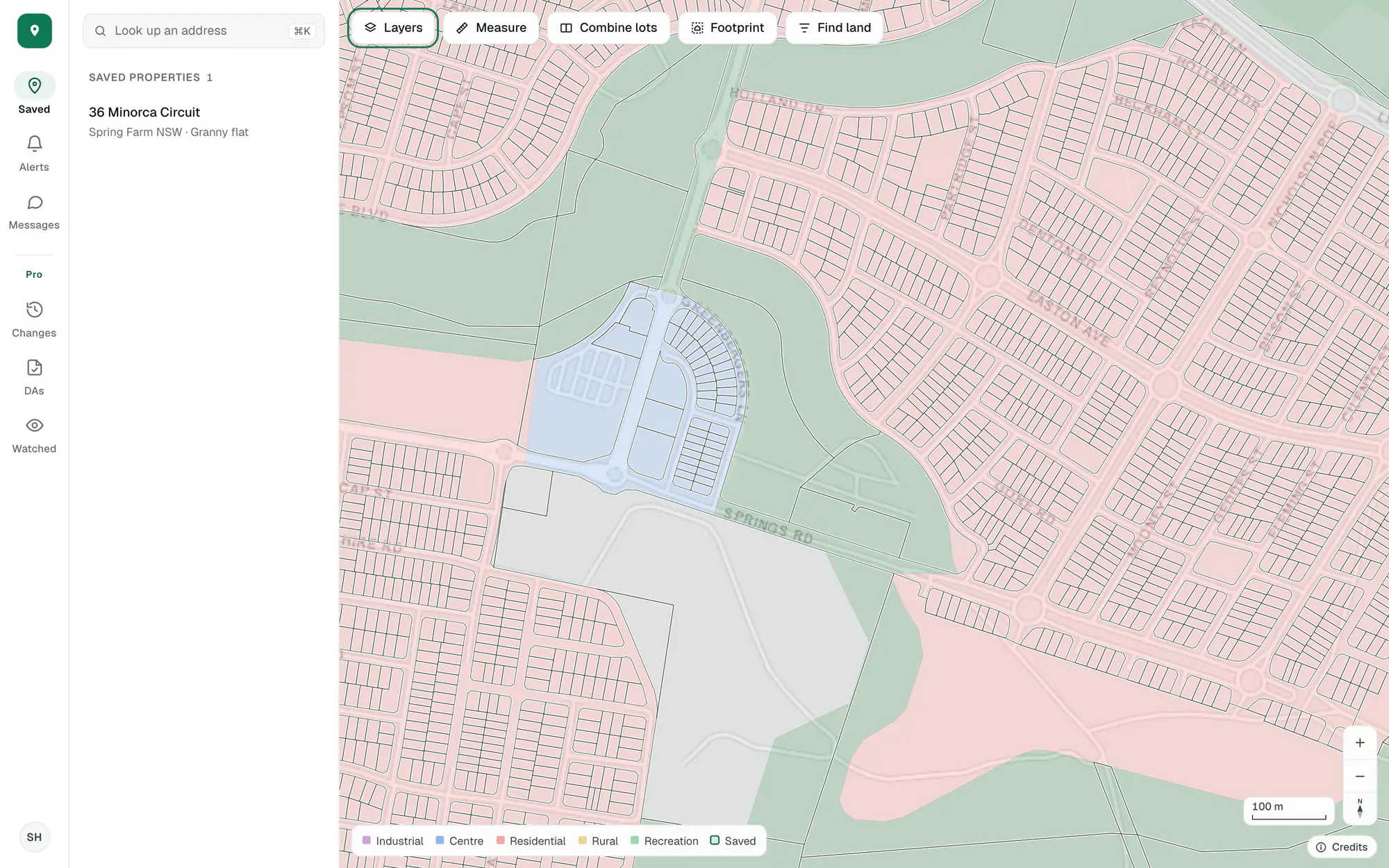
Imagery © State of NSW (Spatial Services, DCS), CC BY 4.0.
Changes show in each lot’s history.
A lot that was rezoned or newly registered says so in its History, with the date and what it was before, beside the applications lodged on it.
Alerts on saved properties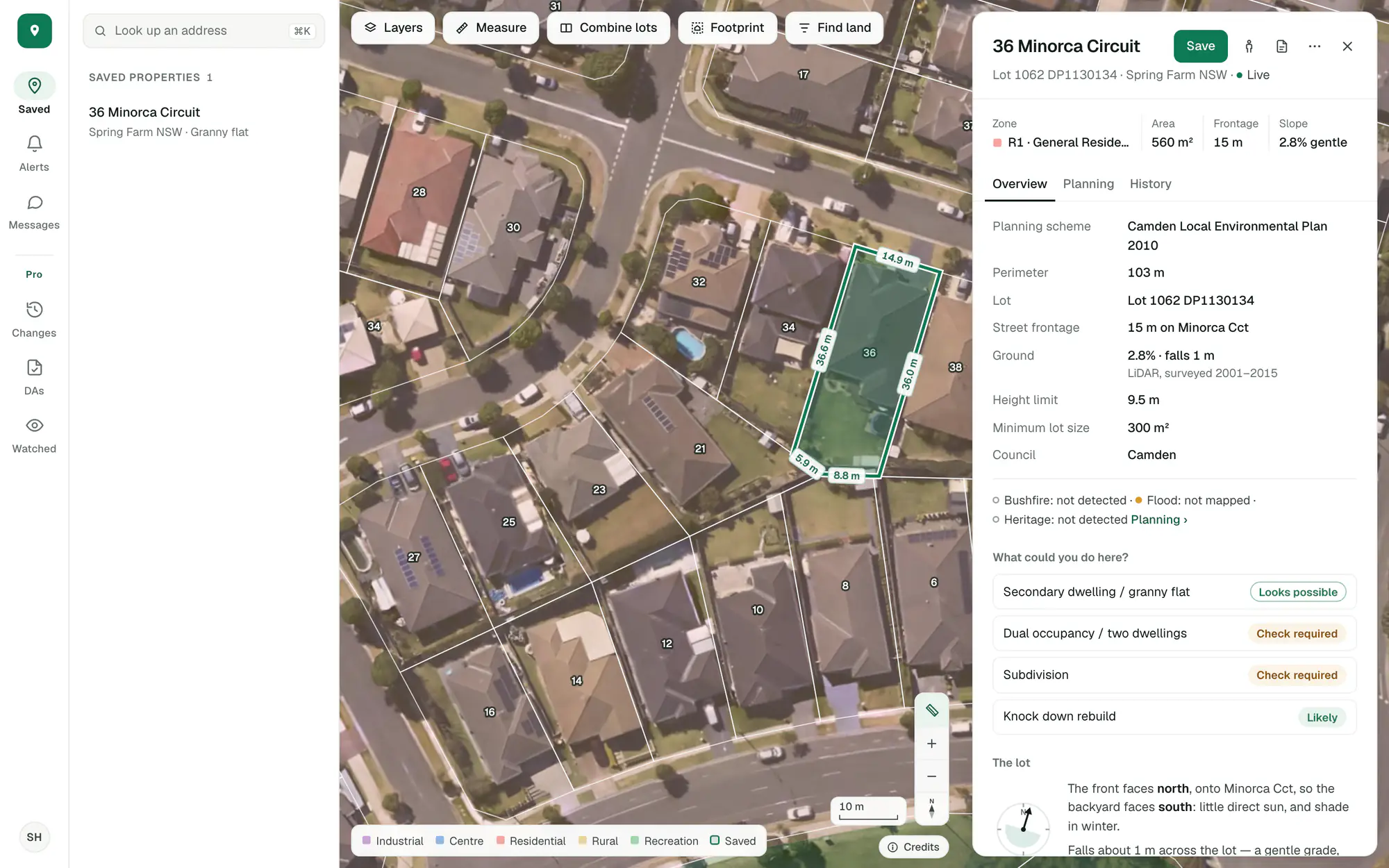
Imagery © State of NSW (Spatial Services, DCS), CC BY 4.0.
Zoning changes, watched areas and their exports are Pro. Alerts on your saved properties are in the free account.
Try it on a site you know.
Create an account with your email and Pro’s tools are in the app to try.
General guidance only. ZoneScout reads published government planning data and summarises published standards. It isn’t professional planning advice.