The report, under your name.
Your logo, your details, the sections you choose and your own wording, built on figures that stay exactly as they were found.
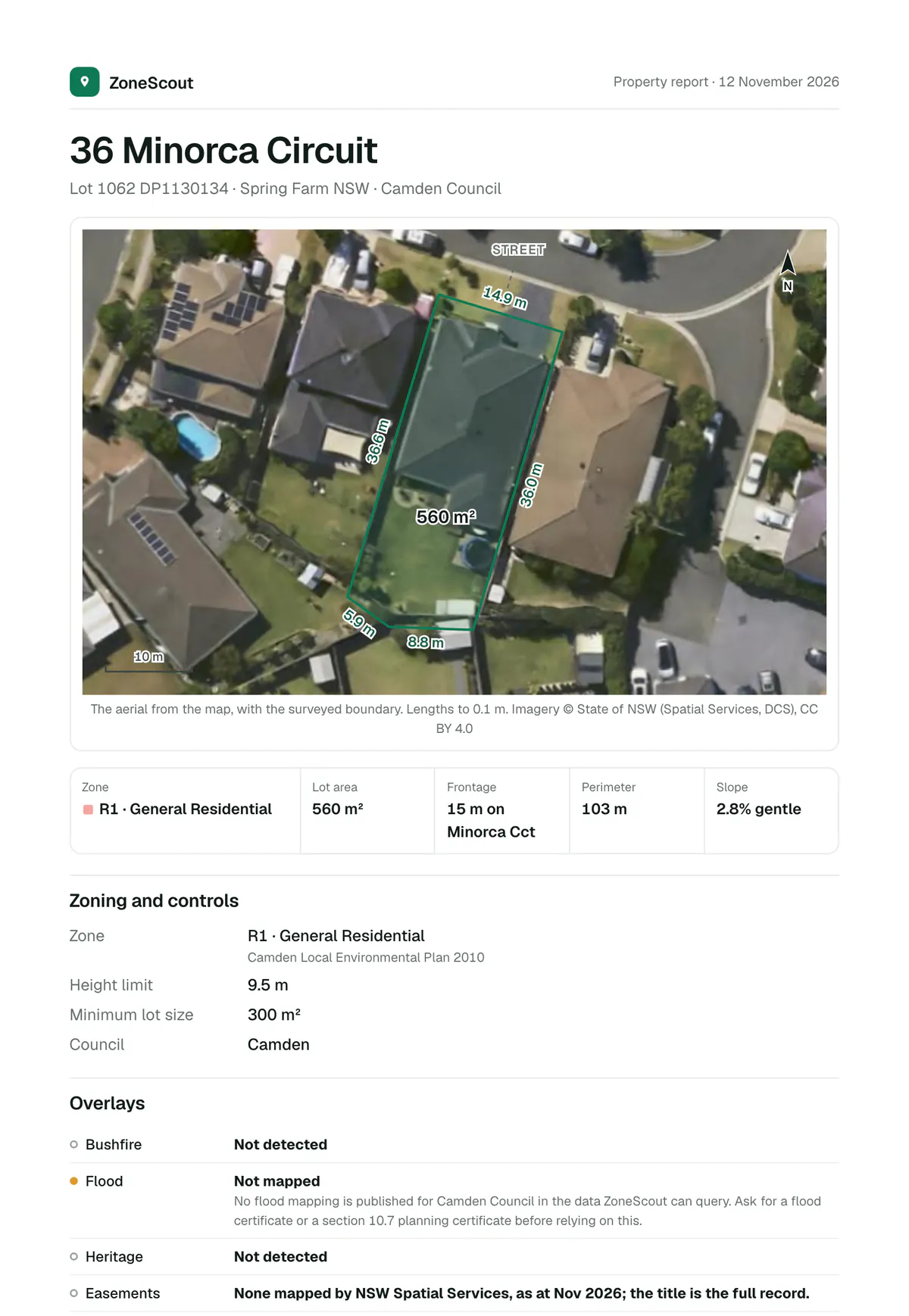
The report for 36 Minorca Circuit, Spring Farm. Imagery © State of NSW (Spatial Services, DCS), CC BY 4.0.
Your logo, your name, your contact details and your accent colour, on every page.
Leave off the pages a client doesn’t need, and put an assessment of your own straight after the cover.
Figures, zones, overlays, applications, sources and the disclaimer can’t be edited.
What you can change.
Reword any paragraph, choose the sections and set your own details. What was found about the property stays as it was found, so the report is still a record a client can rely on.
- Your brand and accent colour
- Your sections, and your own assessment page
- Figures, zones and overlays always as found
Built on the report everyone gets.
The lot on the aerial with every boundary length, the zone and controls, the overlays, the lot’s frontage, facing and fall, and the applications on it and nearby, with every source named.
Property reports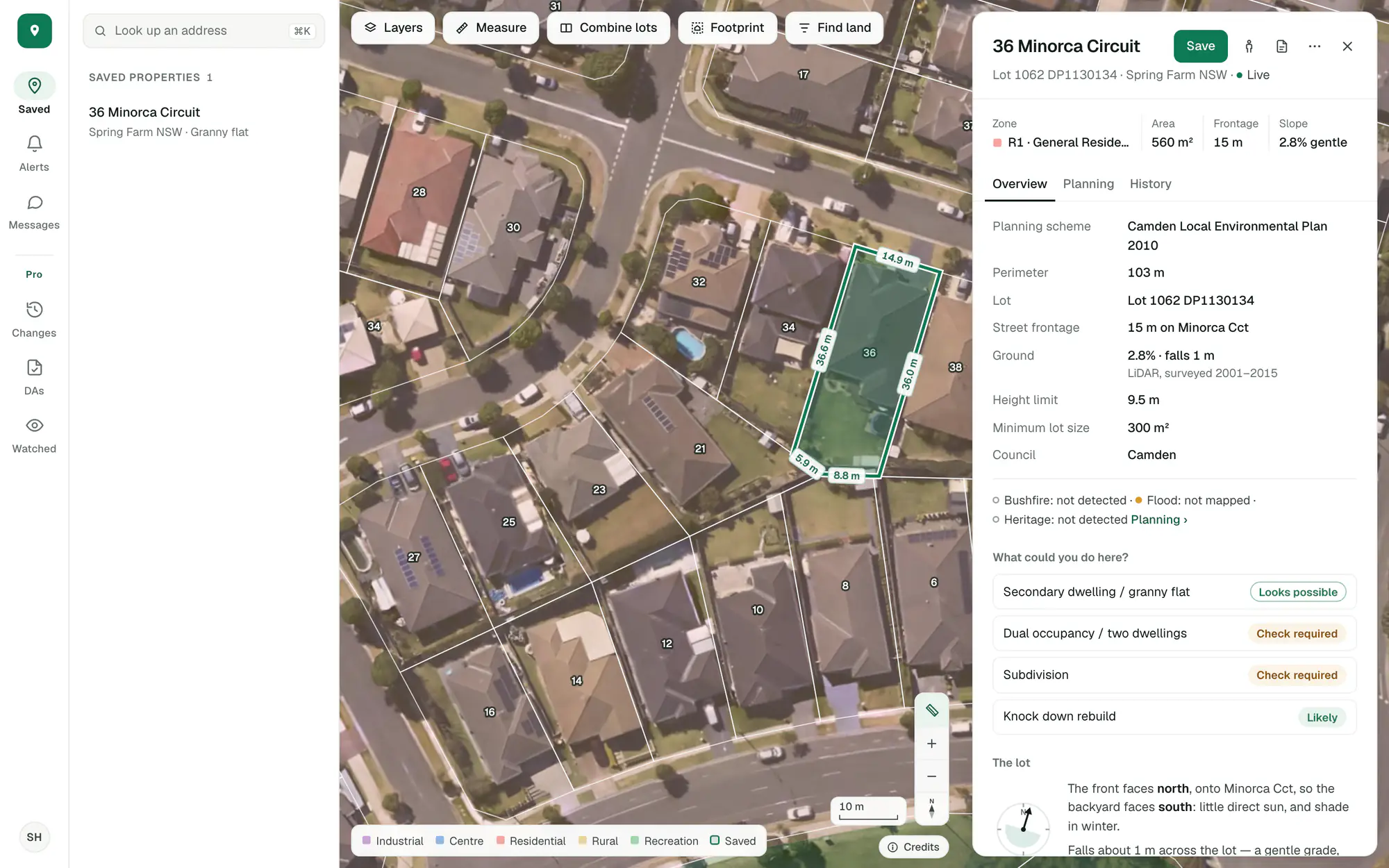
Imagery © State of NSW (Spatial Services, DCS), CC BY 4.0.
The report and the share link are in the free account. Your own branding, sections and wording are Pro.
Try it on a site you know.
Create an account with your email and Pro’s tools are in the app to try.
General guidance only. ZoneScout reads published government planning data and summarises published standards. It isn’t professional planning advice.