The app/Pro
Pro is for working across the whole map.
Find sites across a whole council, join and split them, see every application and each week’s zoning changes, and send the report under your own name.
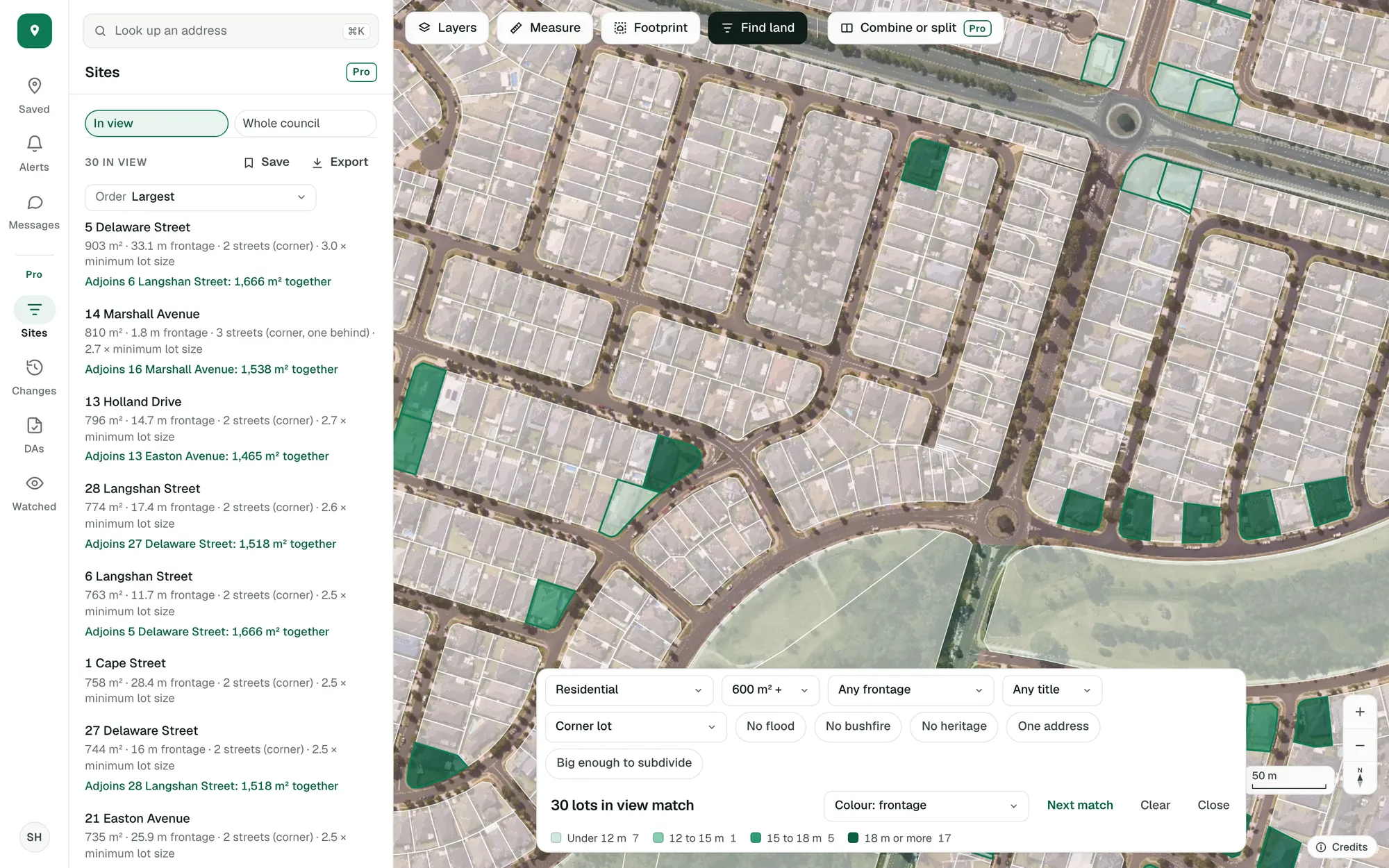
The site finder on real lots: residential corner lots of 600 m² or more around Spring Farm. Imagery © State of NSW (Spatial Services, DCS), CC BY 4.0.
What Pro adds.
The free account is about the properties you save. Pro is about everything around them.
Site finder
Every filter on the lots (street frontage, title, corner lots, clear overlays, room to subdivide) with each match listed beside the map and coloured by a figure. More
A whole council at once
Count and list every lot that matches across a council, wherever the map is looking, and keep the search to come back to. More
Combine or split
Adjoining lots read as one site, and a site cut into parts, each with its area and street frontage beside the minimum lot size. More
Development applications map
Development applications on the map and in a list, with what each proposes and how it went, and years of history. More
Zoning changes
Each week’s rezonings and new lots, on the map, in a list and in each lot’s history, so you see where land is changing first. More
Watched areas
Mark out the areas you work in and we check them every night, so you hear when a new application or a rezoning turns up. More
Exports
Zoning changes and applications, and the lots in view that a search matches, as a spreadsheet with addresses.
Your own report
The property report with your logo and details, the sections you choose and your own wording. More
A page for each tool
Compare free and Pro.
The free account stays free. Pro is there to try from the day you sign up.
Free account
For the properties you’re weighing up.
- Saved properties, with notes and compare
- The answer for your project on each lot
- Applications on the lot and approvals nearby
- Alerts overnight, in the app and by email
- Measure and Footprint
- Find land, by zone and lot size
- The property report and a share link
Pro
For working across suburbs, councils and states. Everything in the free account, and:
- The site finder: every filter, across a whole council
- Combine lots, and split a site into parts
- Development applications on the map, with filters
- Each week’s rezonings and new lots
- Watched areas, checked every night
- Exports: changes, applications and matching lots
- Your own report, with your logo and wording
How people use Pro.
Build a list of sites.
Filter every lot in a council by zone, size, frontage, corner position and overlays. Each match is listed with its reasons, and the lots in view export as a spreadsheet with addresses.
Site finder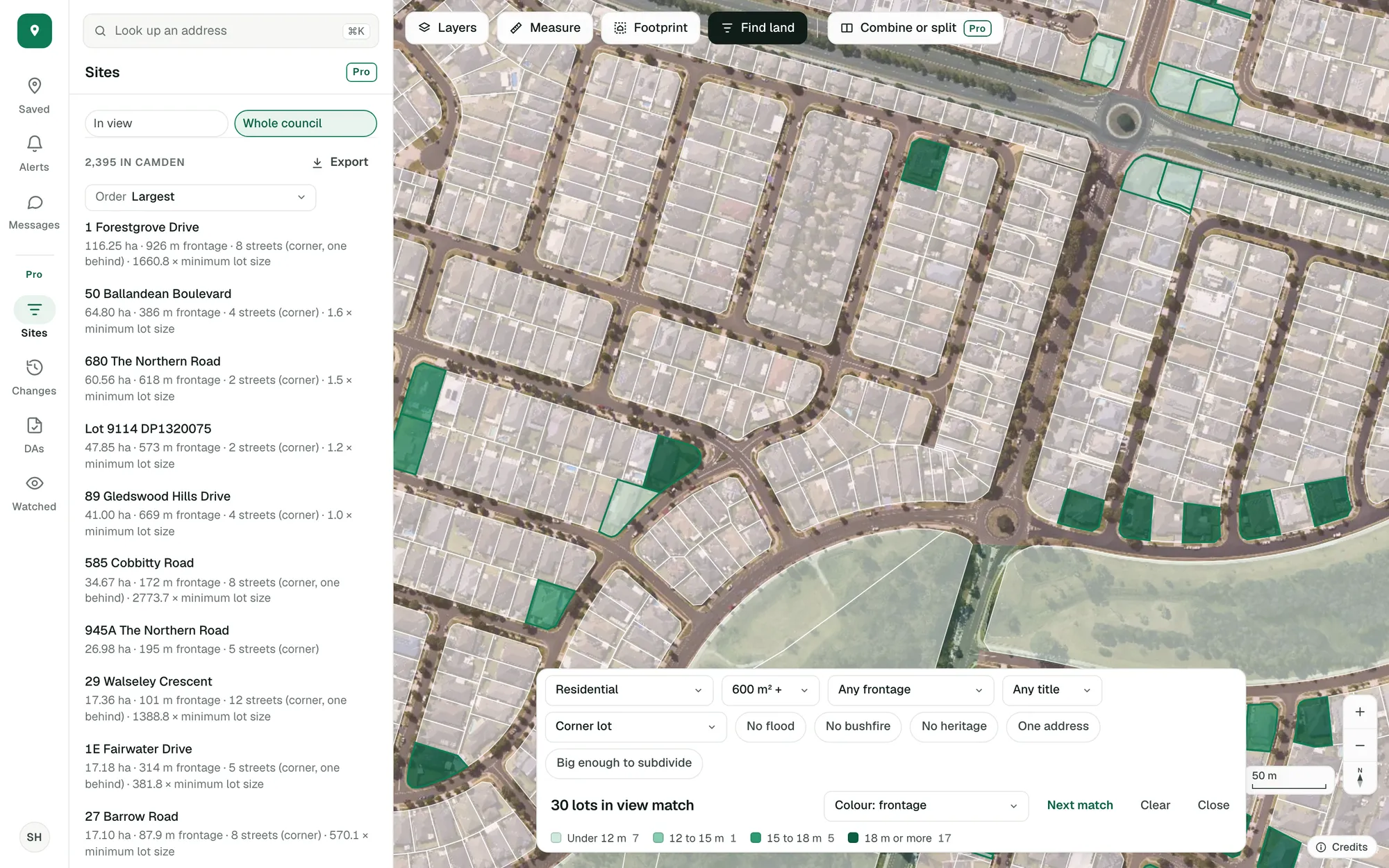
Imagery © State of NSW (Spatial Services, DCS), CC BY 4.0.
Test how a site could divide.
Join the lots, split the site three ways and read each part’s area and frontage beside the minimum lot size.
Combine or split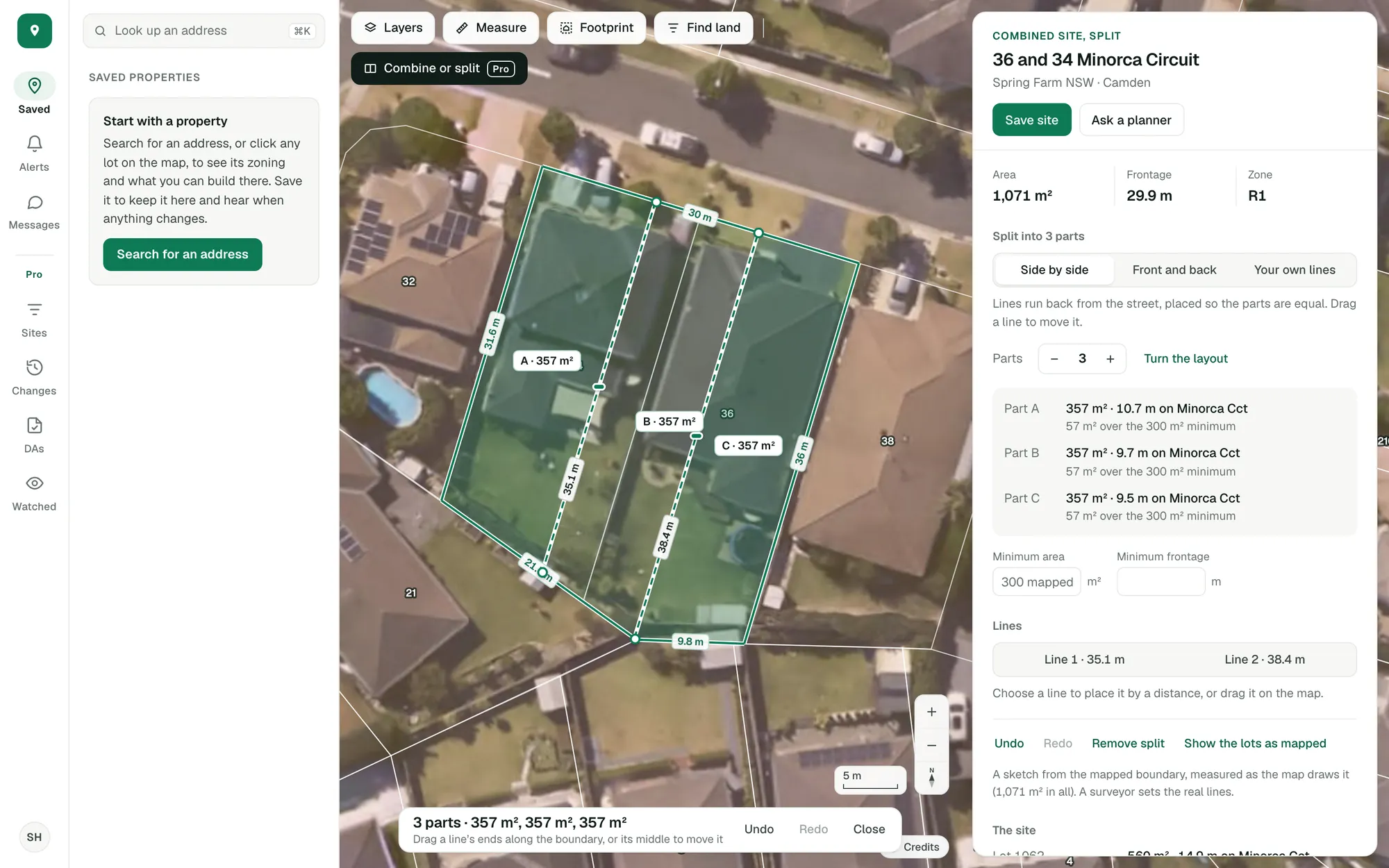
Imagery © State of NSW (Spatial Services, DCS), CC BY 4.0.
Follow the councils you work in.
Watch the councils you buy or build in. New lots, rezonings and applications turn up in your alerts the morning after they are found.
Zoning changes and watched areas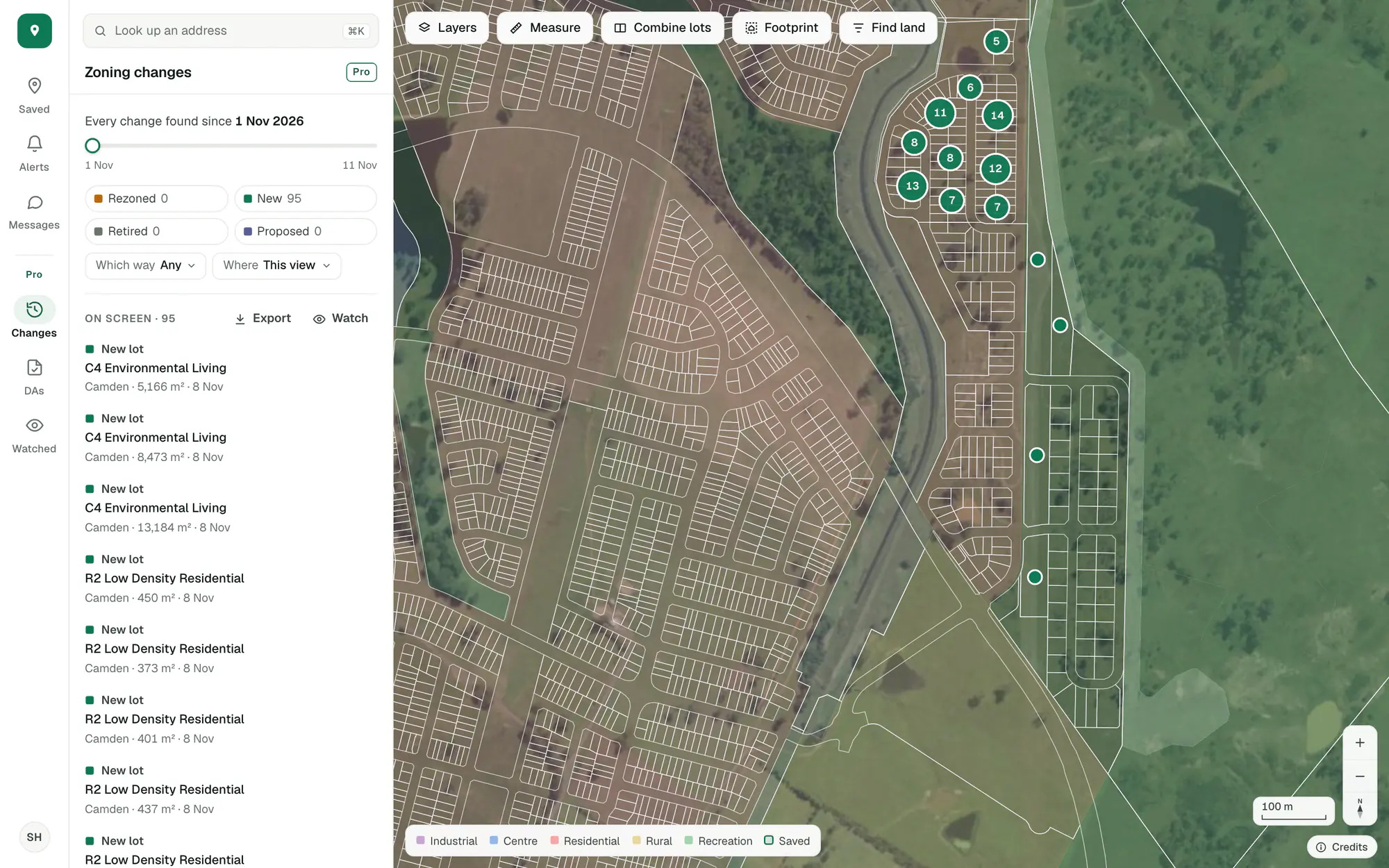
Imagery © State of NSW (Spatial Services, DCS), CC BY 4.0.
Questions
How do I try Pro?
Create an account with your email and Pro’s tools are in the app to try, free: Sites, Changes, DAs and Watched in the menu, and Combine or split on the map.
What happens to the free account?
It stays free: saved properties, the answer for your project, alerts in the app and by email, Measure and Footprint, Find land by zone and lot size, and the report.
What’s the difference between Find land and the site finder?
Find land, in the free account, lights up the lots that match a zone and a lot size. Pro’s site finder adds every other filter (street frontage, title, corner lots, overlays, room to subdivide), lists each match beside the map, and counts them across a whole council.
Where do the applications come from?
From each state’s or council’s own public register: all of NSW, South Australia and the ACT, and a growing list of councils in Queensland, Victoria and Western Australia. Data and coverage lists what we hold in each state and how often it updates.
Try Pro on a site you know.
Create an account with your email and every tool on this page is in the app.
General guidance only. ZoneScout reads published government planning data and summarises published standards. It isn’t professional planning advice.