Find sites across a whole council.
Use every filter together, see why each lot matched, and count the matches across the whole council.
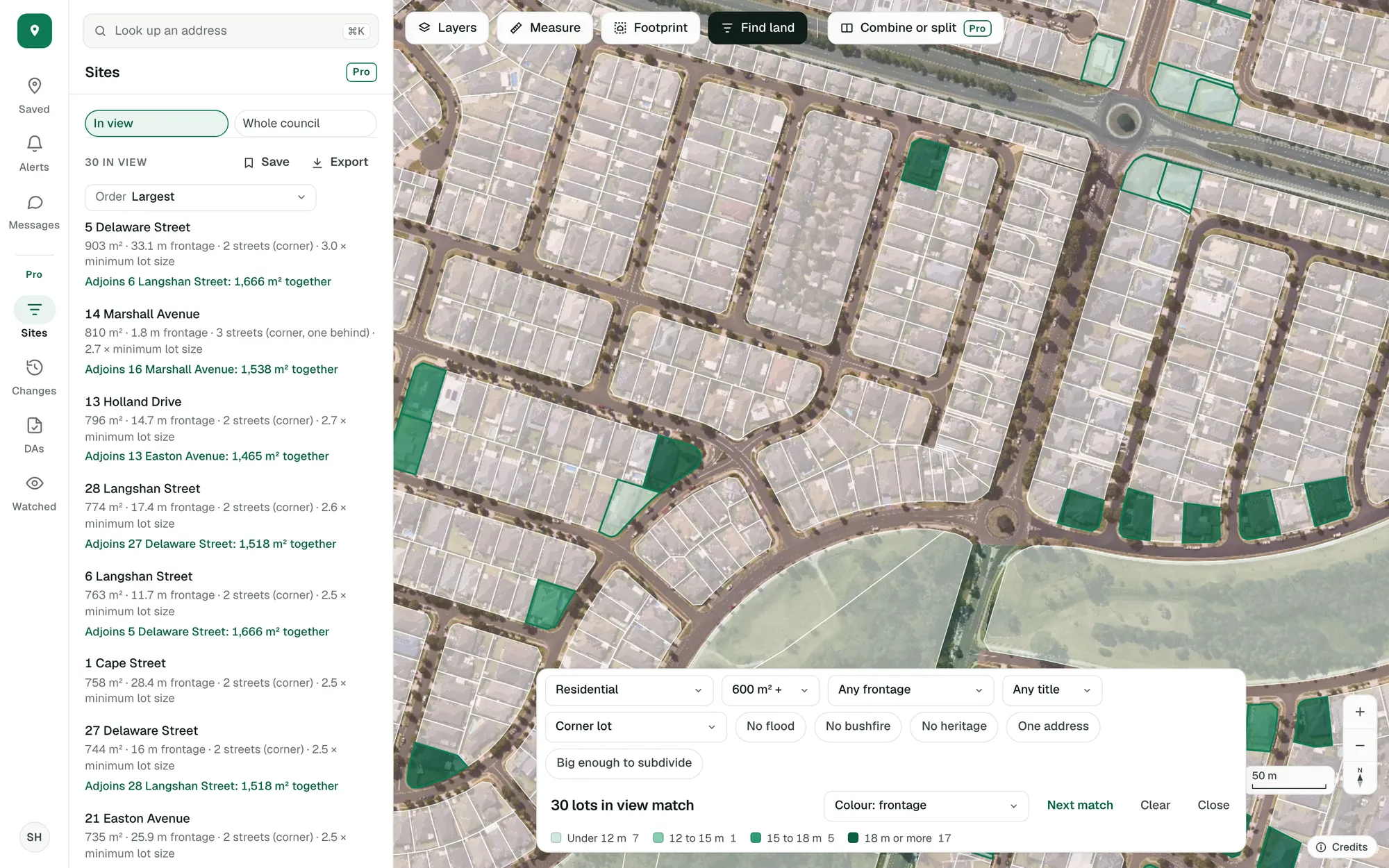
Residential corner lots of 600 m² or more around Spring Farm, coloured by street frontage. Imagery © State of NSW (Spatial Services, DCS), CC BY 4.0.
Zone, size, street frontage, title, corner lots, clear overlays, one address and room to subdivide.
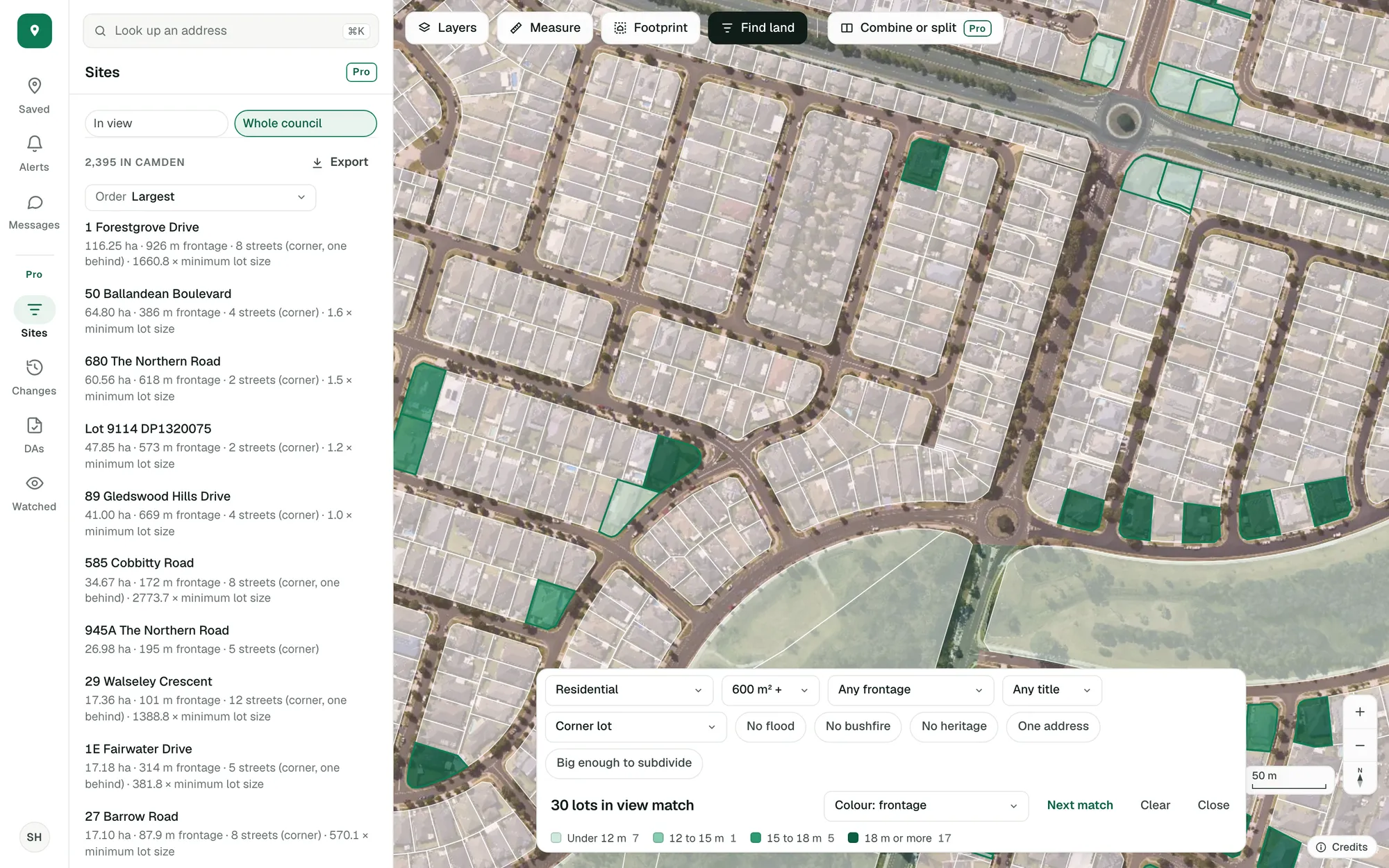
The count and the list across every lot in the council, wherever the map is looking: 2,395 of these corner lots in Camden.
Each row gives the figures, such as “903 m² · 33.1 m frontage · 2 streets (corner) · 3.0 × minimum lot size”, and says which matches adjoin.
Say exactly what you’re after.
Start from a zone and a size, then narrow it: a street frontage from 10 to 25 metres, strata or not, a corner lot or one with a street behind, no flood, no bushfire, no heritage, one address, big enough to subdivide.
- Corner lots, and lots with a street or lane at the back
- Big enough to subdivide: at least twice its minimum lot size, in NSW
- Lots that couldn’t be checked are counted separately
Imagery © State of NSW (Spatial Services, DCS), CC BY 4.0.
See every match in a list.
The matches sit beside the map with their size, frontage and streets: largest first, widest first, or largest against its minimum lot size. A row opens its lot.
- Says when two matches adjoin, and their area together
- Colour the matches by frontage, size, or size against the minimum
- Save a search to come back to, and export the lots in view
Imagery © State of NSW (Spatial Services, DCS), CC BY 4.0.
Search the whole council.
Switch the list to the whole council and it counts every lot that matches in it, wherever the map is looking, and lists them in the order you choose.
- Every lot in seven states, council by council
- Answers at any zoom
- From each week’s lots
Imagery © State of NSW (Spatial Services, DCS), CC BY 4.0.
Open adjoining matches as one site.
Where two matches adjoin, the list says so with their area together. One click opens both as a single site, ready to split.
Combine or split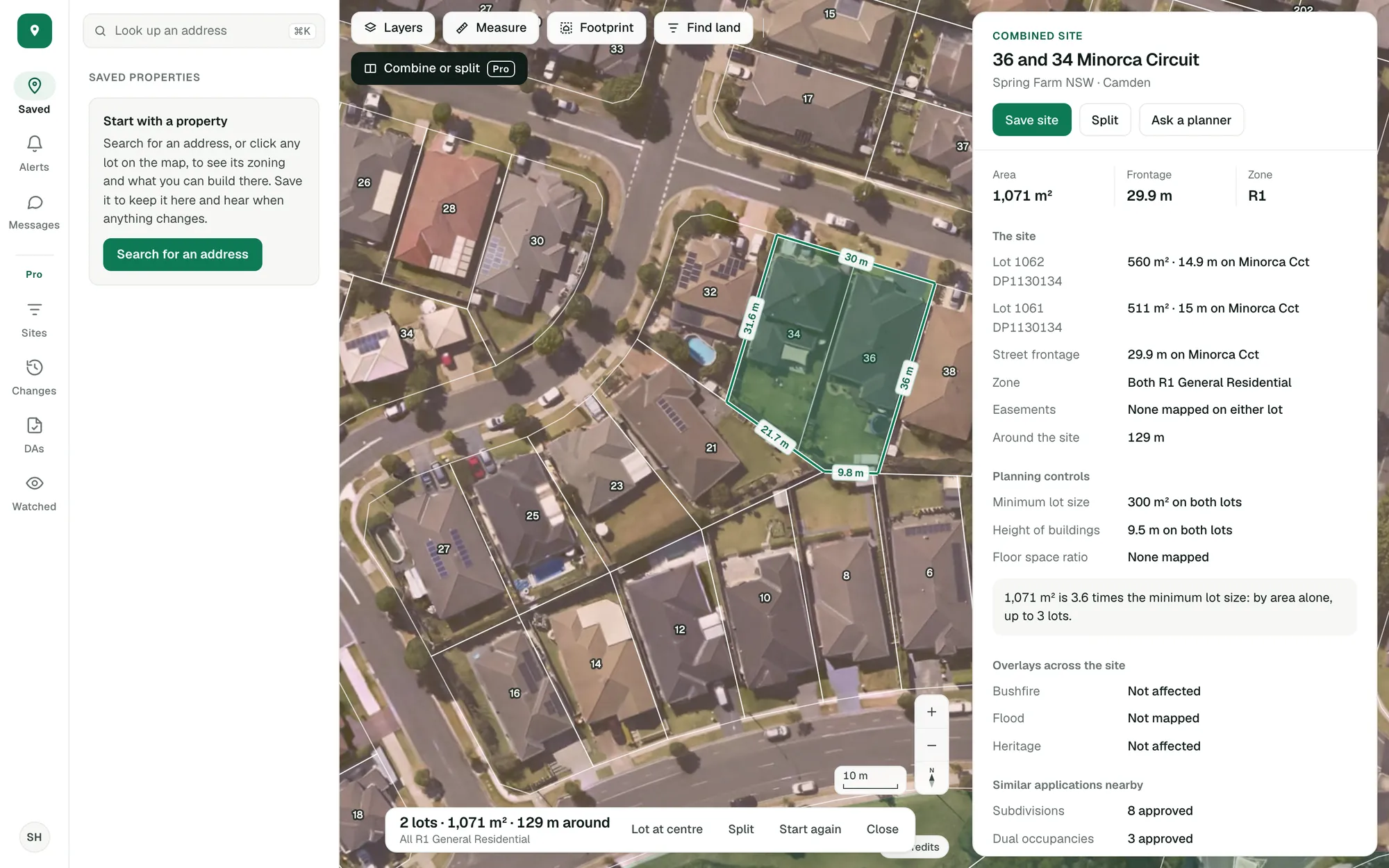
Imagery © State of NSW (Spatial Services, DCS), CC BY 4.0.
The site finder is Pro. Find land by zone and lot size is in the free account.
Try it on a site you know.
Create an account with your email and Pro’s tools are in the app to try.
General guidance only. ZoneScout reads published government planning data and summarises published standards. It isn’t professional planning advice.