The app/Find land
Find the lots that fit.
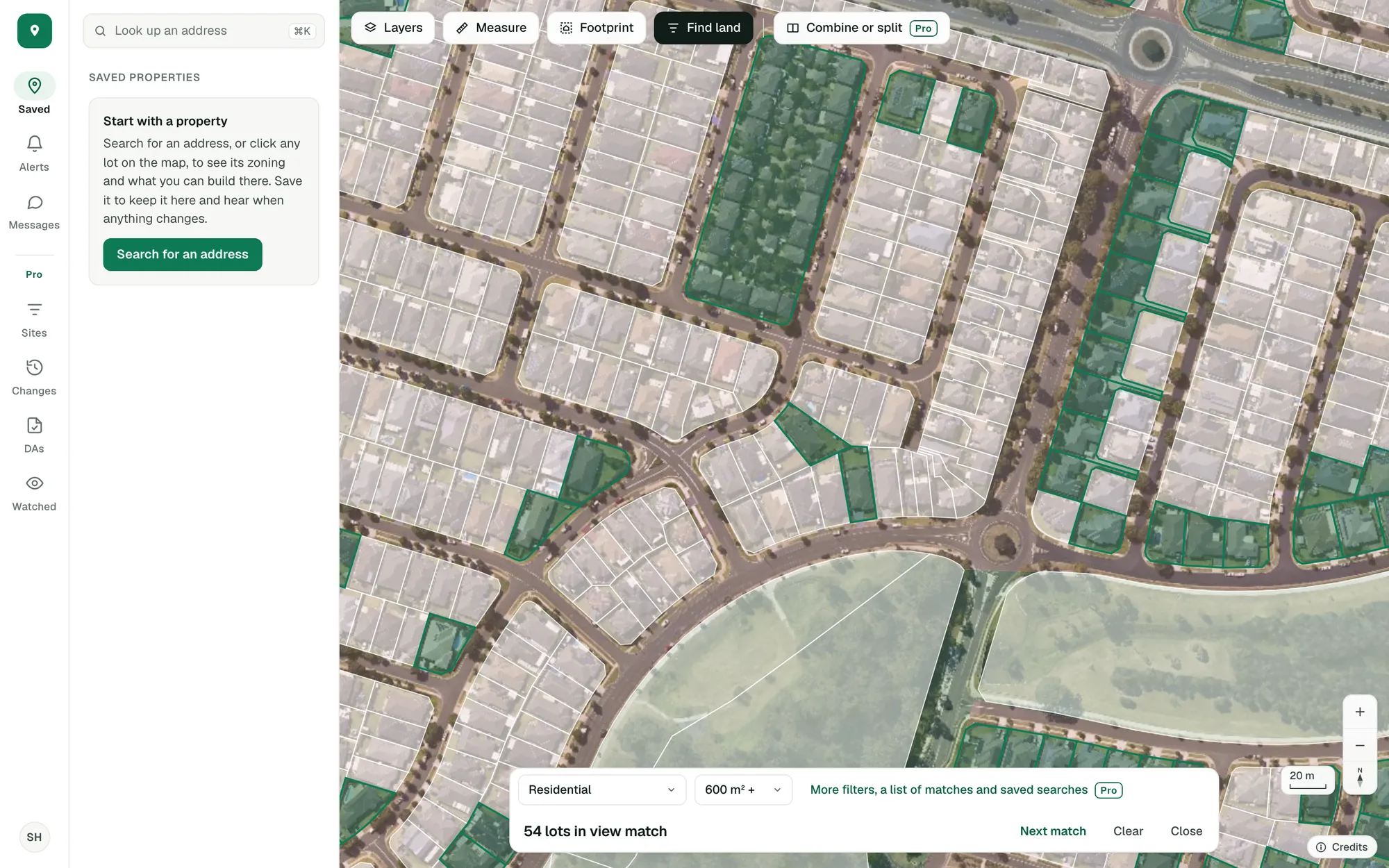
Choose a zone and a lot size and the lots that match light up across the map. Then step through them, one by one.
Imagery © State of NSW (Spatial Services, DCS), CC BY 4.0.
New South Wales, Victoria, Queensland, Western Australia, South Australia, Tasmania and the ACT, lot by lot.
A kind of zone and a lot size. The count updates as you move the map.
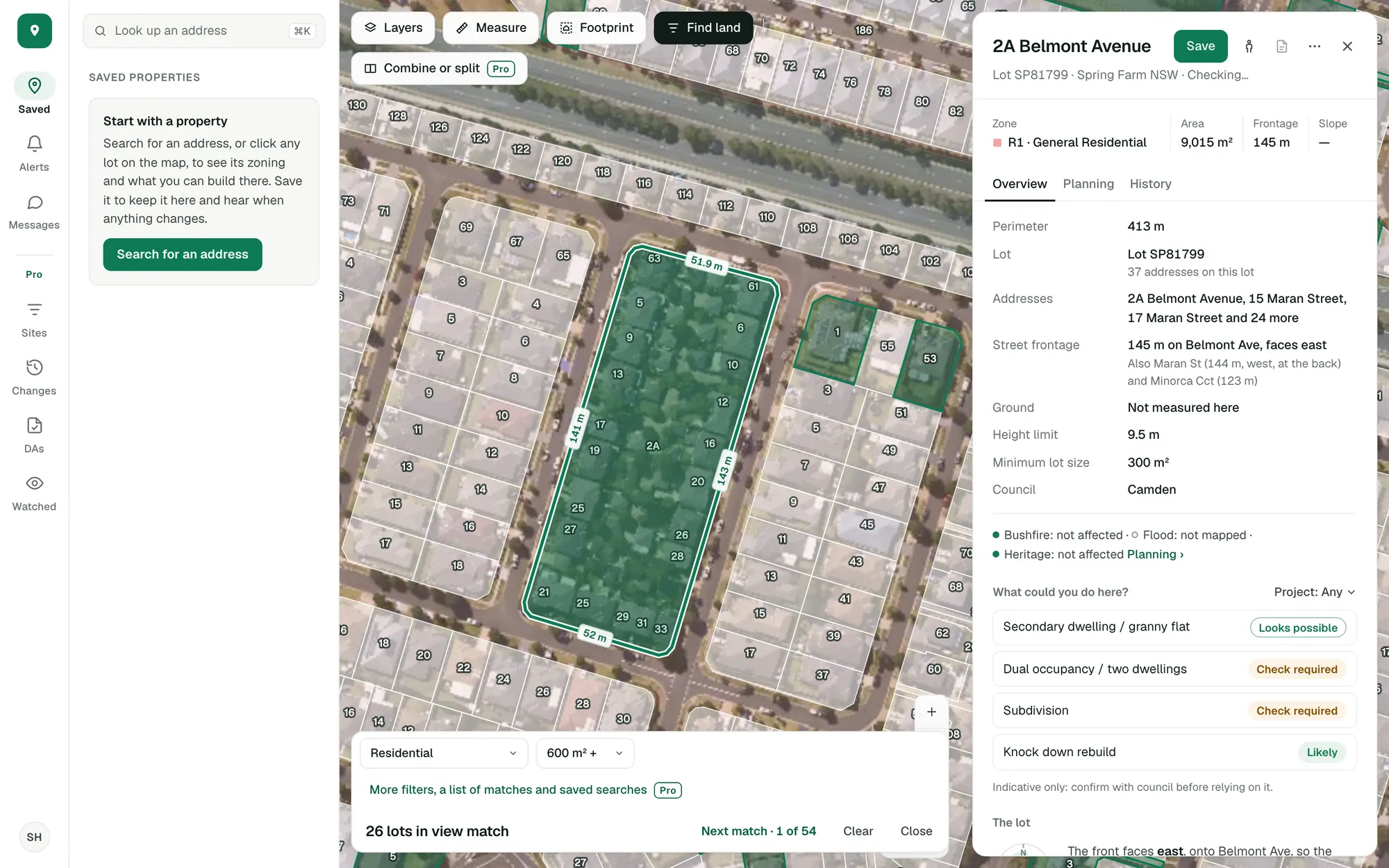
Step to a lot and its whole panel opens: zone, size, frontage, slope and what you could do there.
Say what you’re after.
Pick a kind of zone and a lot size from 450 m² to a hectare. The lots that match light up, and the bar says how many there are in view.
- Zone: residential, centre or mixed use, industrial, rural and more
- Lot size: 450 m² to a hectare
- A lot across two zones is matched on its part in the zone you chose
Imagery © State of NSW (Spatial Services, DCS), CC BY 4.0.
Step through the matches.
Next match takes you to each lot in turn and opens it, so you read the zone, the size, the frontage and the answer for your project without hunting for it on the map.
- The lot’s boundary with every side’s length
- Save the ones worth a second look
- Compare saved lots side by side
Imagery © State of NSW (Spatial Services, DCS), CC BY 4.0.
Check what’s mapped over the land.
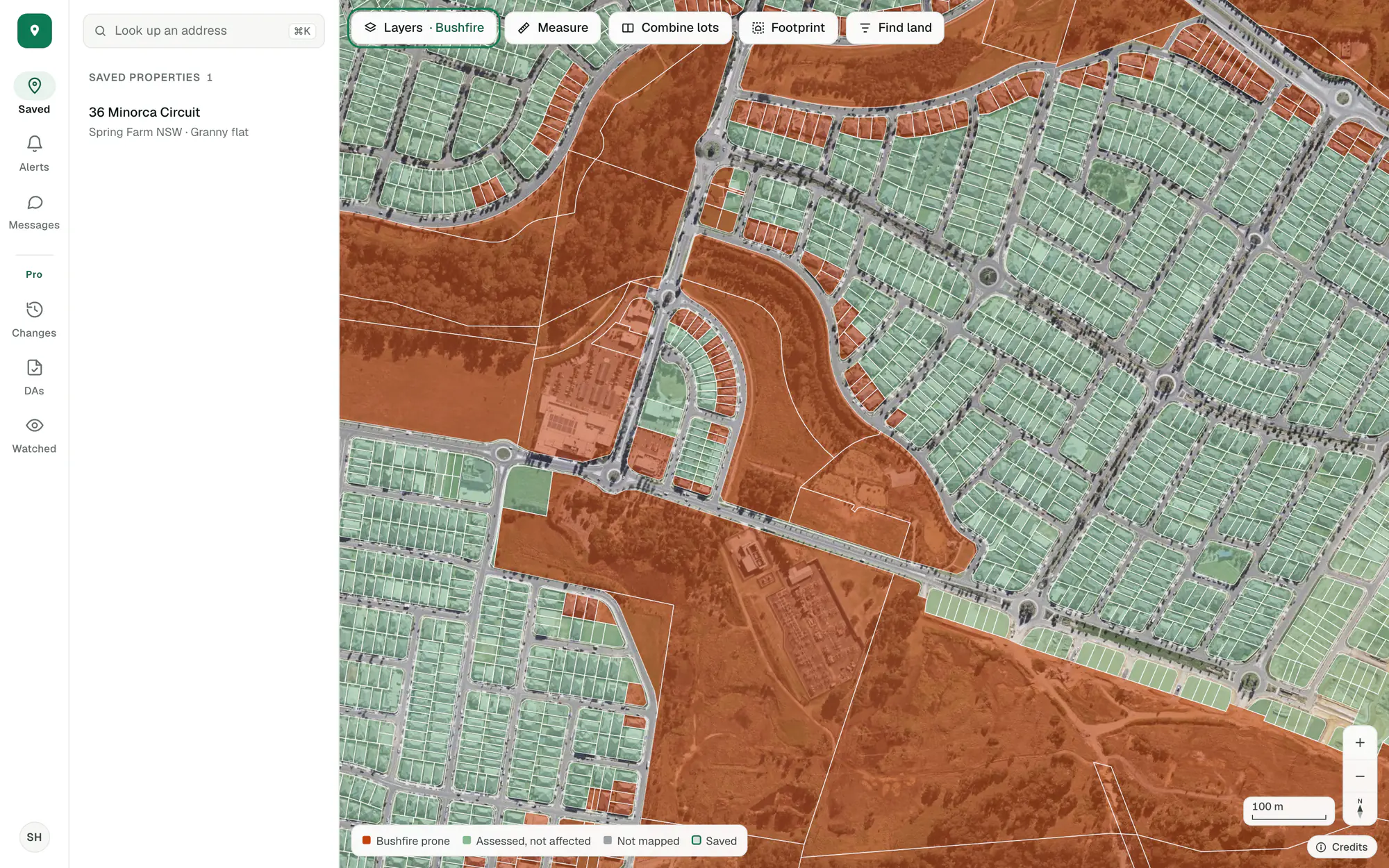
Colour the lots by bushfire, flood or heritage to see the pattern across a suburb. Grey lots aren’t mapped in ZoneScout: ask the council about those.
- Three colours: affected, assessed and not affected, not mapped
- Each map shows the date its data was taken
Imagery © State of NSW (Spatial Services, DCS), CC BY 4.0.
Use more filters with Pro.
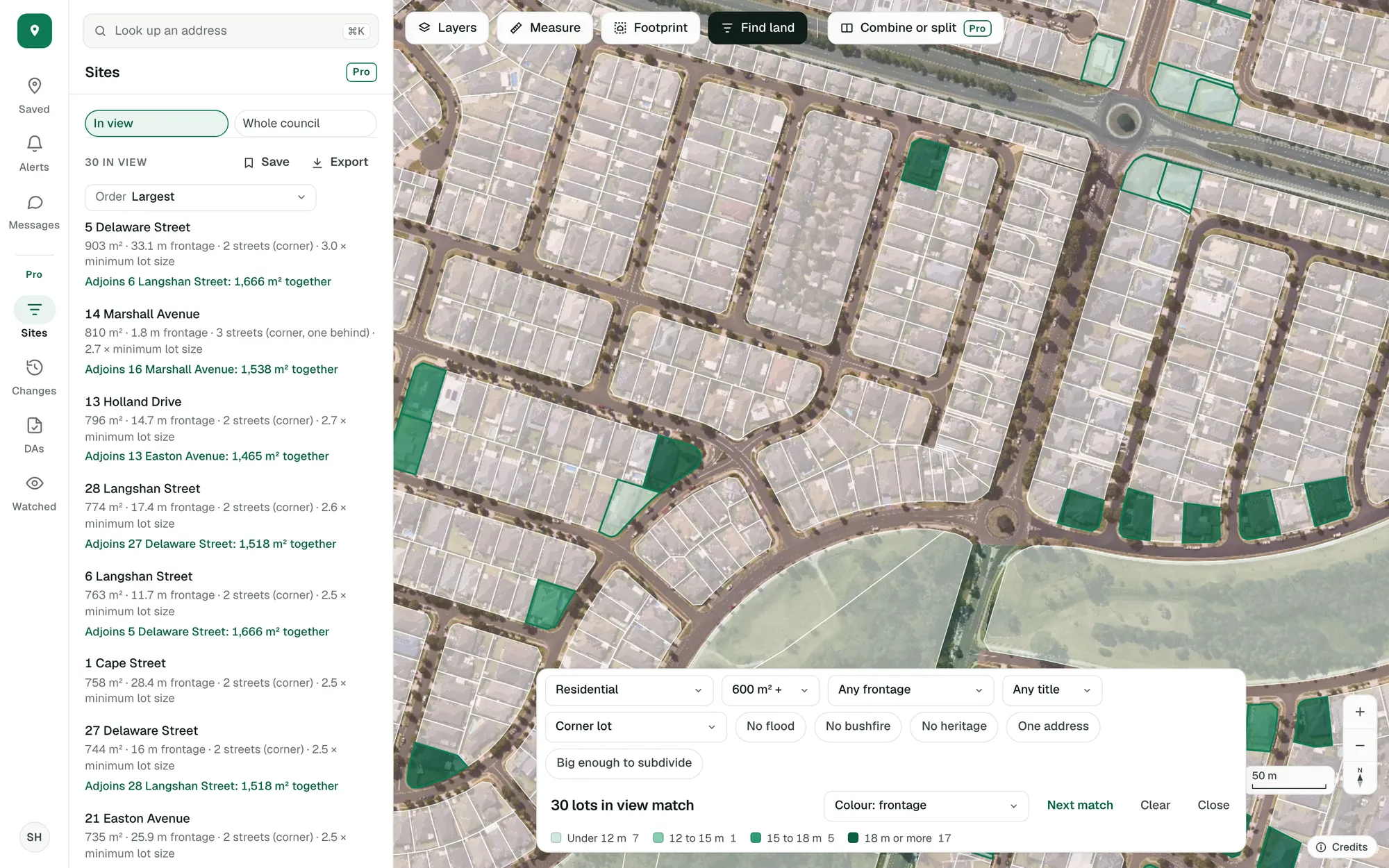
Pro’s site finder adds street frontage, title, corner lots, clear overlays and room to subdivide, lists every match beside the map, and counts them across a whole council.
- Each match listed with its size, frontage and streets
- A whole council searched at once
- Searches saved, and the lots in view exported
Imagery © State of NSW (Spatial Services, DCS), CC BY 4.0.
Find land by zone and lot size is in the free account. Every other filter, the list of matches and the whole-council search are Pro’s site finder.
Start with the lot you’re looking at.
Free, in a minute, with just your email.
General guidance only. ZoneScout reads published government planning data and summarises published standards. It isn’t professional planning advice.